
Using a Quote Blueprint (Rep Workflow)
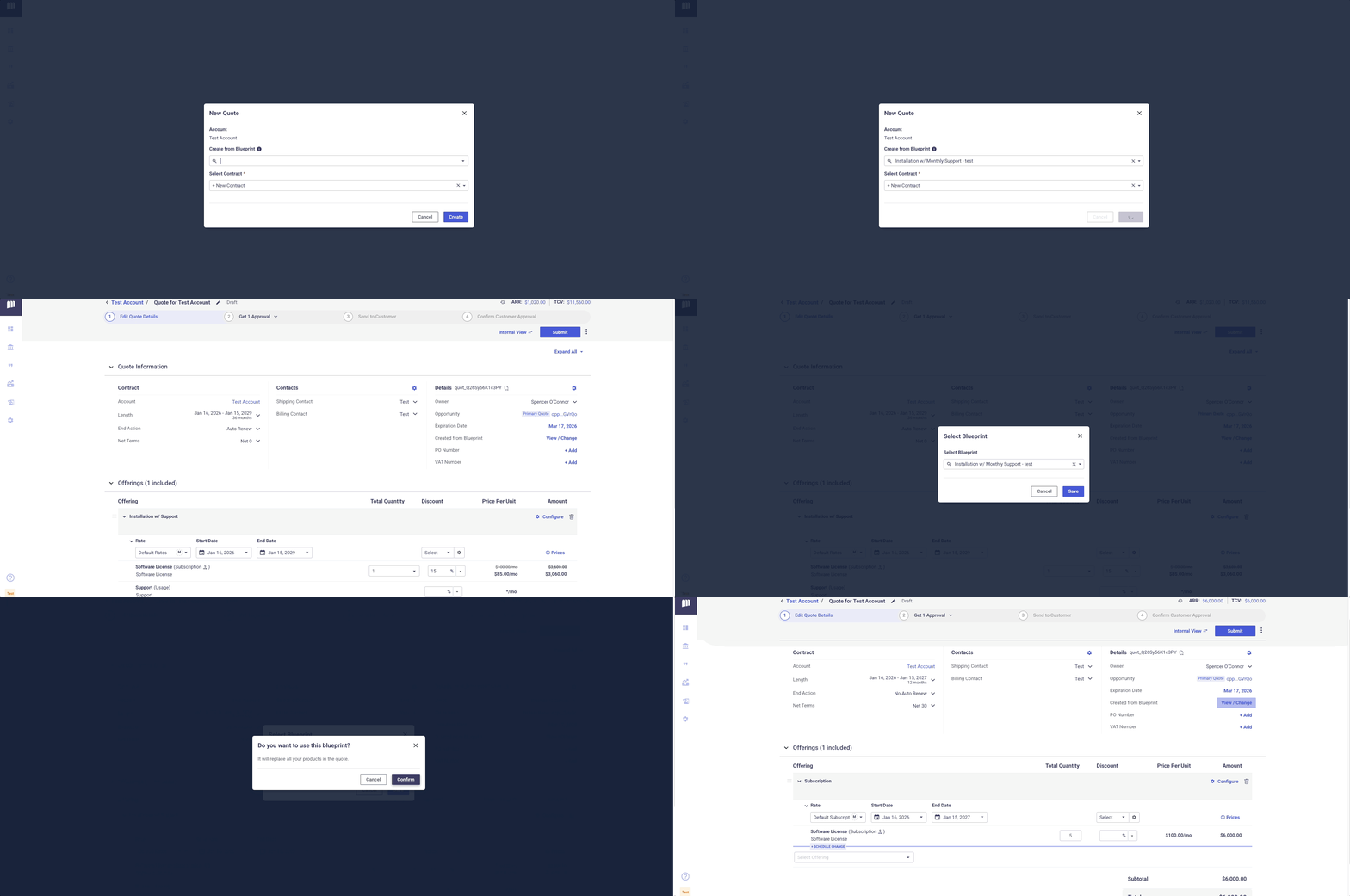
- When a Rep creates a New Quote in MonetizeNow, the New Quote modal includes an option to 'Create from Blueprint'.
- This dropdown displays all "Active" admin-configured Blueprints.
- The rep can select a Blueprint and click "Create".
- The Quote is generated using the Quote Blueprint data as a starting point.
- The rep can then make any adjustments needed, and submit the quote.
The Quote Start date is not copied from the Blueprint, the Start Date always defaults to the current date.
Considerations
Rep wants to change a Blueprint during Quoting
Quotes generated from a Blueprint include a link to the originating Blueprint. If a rep needs to switch to a different Blueprint after generating the quote, click the edit button next to the Blueprint name to select a different option.
Updated 9 months ago
Did this page help you?