
Billing Schedule Output
Based on the Offerings on the Quote, a Billing Schedule is generated. It shows future invoices MonetizeNow will generate for that contract. Before a quote is sent, processed, or renewed, this view is where you confirm:
- When customers will be billed
- How much will be charged
- How contract changes affect future invoices
Note: Billing Schedule does not include any Usage products as the amount of their billing is not known in advance.
View Billing Schedule
Open any quote → Billing Schedule
This tab always reflects latest billing plan for said contract. Each row in Billing Schedule Output represents one upcoming invoice and has two rows,
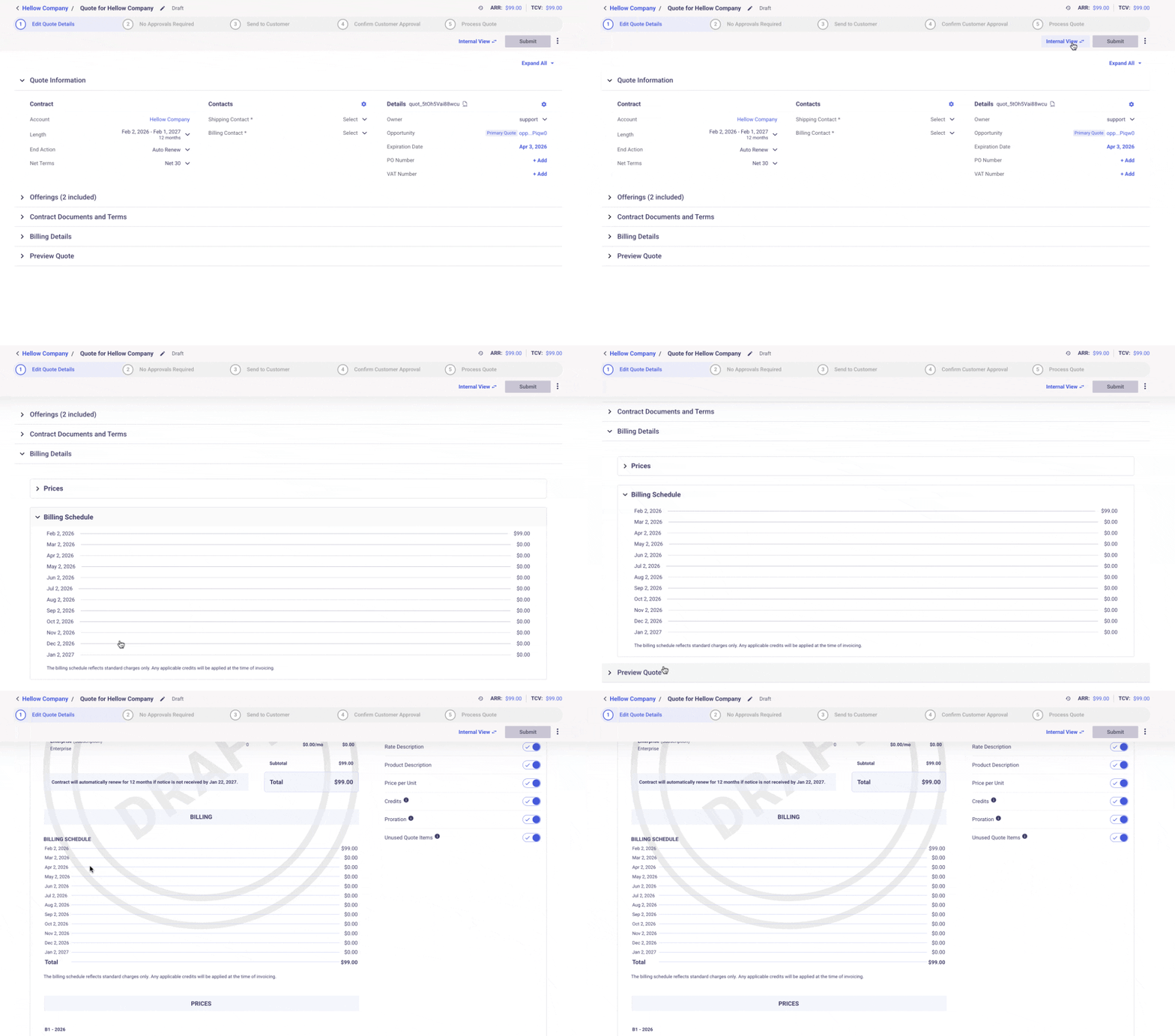
- Bill Date: When the invoice will be created
- Amount: What will be charged for that period
Note: These values are calculated from Offering configuration and can’t be edited in this view. Make sure the schedule looks correct here, as invoicing will follow it.
How this Schedule Is Built
Based on the offerings and rates (billing frequency) included in each line item, behind the scenes we calculate,
- pricing and discounts
- proration rules
Also, it resolves amendments and renewals and splits the contract into billable periods
Adding or Updating Schedule
Billing schedules update when Quote lines/Offerings/Contracts change. Things like,
- processing a new quote, applying an amendment, executing a renewal or updating pricing or billing anchors
When a contract is amended or renewed
- Past billing rows remain unchanged
- Current and future rows are recalculated
- New periods may be added
Note: Each of these actions triggers MN to rebuild the schedule and are captured in Reporting
TABLE:contract_billing_schedule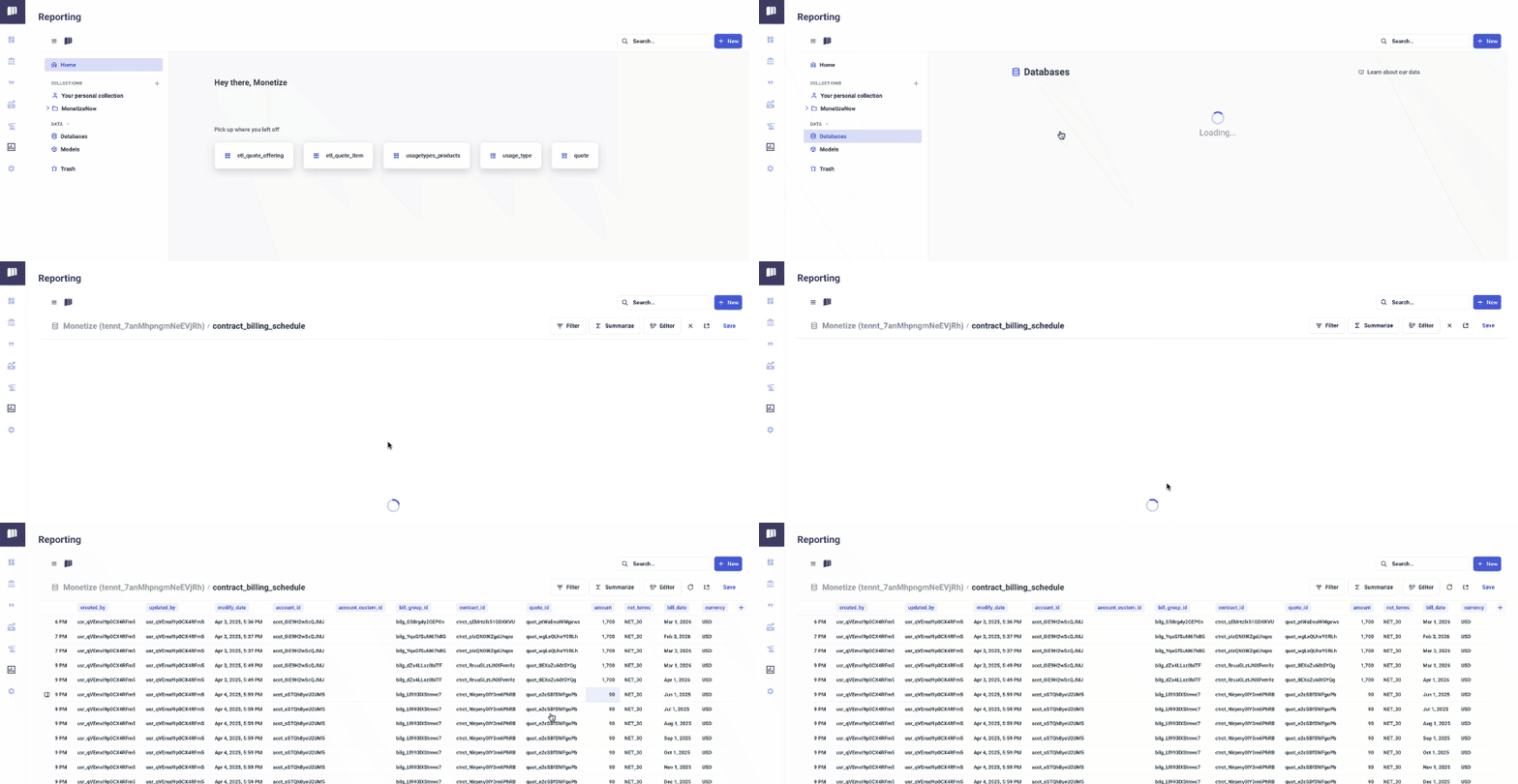
Updated 9 months ago