

Product Catalog Overview
Product Catalog is the data model that defines how you can package and price your service.
The product catalog is the list of everything you sell and how you charge for it. It's the foundation for quoting and billing: every quote line, subscription and invoice line points back to it.
The catalog has three building blocks:
| Block | Question it answers | Example | Details |
|---|---|---|---|
| Product | What can be sold? | Time Lord Platform, Gold Support, Vortex API Calls | Products |
| Offering | How is it packaged? | Time Lord Enterprise: Platform + Seats + Gold Support | Offerings |
| Rate | What does it cost, how often and in which currency? | Time Lord Enterprise, Annual, USD | Rates |
| I want to… | Go to |
|---|---|
| Understand how the pieces fit | How the catalog fits together |
| See a worked example | Example catalog |
| Know where things are in the app | Where to find it |
| Set up a catalog | Ways to build your catalog |
| Design a catalog that scales | Design tips |
How the catalog fits together
Explanation
flowchart LR
  P1[Product<br/>Time Lord Platform] --> O[Offering<br/>Time Lord Enterprise]
  P2[Product<br/>Analytics Seats] --> O
  P3[Product<br/>Gold Support] --> O
  O --> R1[Rate<br/>Annual · USD]
  O --> R2[Rate<br/>Monthly · USD]
  O --> R3[Rate<br/>Annual · GBP]
  R1 --> Q[Quote line /<br/>Subscription]
-
Products are the smallest things you sell: a platform license, a seat, a support plan, an API call, a set-up fee. Each product has a type that controls how it's billed.
-
Offerings bundle one or more products into what a customer actually buys. A product can sit in many offerings. Within an offering, you choose whether each product is required or optional.
-
Rates put prices on an offering. Each rate sets:
- the price of each product in the offering,
- the billing frequency,
- the currency, and
- the pricing model.
One offering can have many rates, for example Monthly and Annual, or USD and GBP.
-
Quotes and subscriptions use an offering with one of its rates. Changing a rate's frequency or currency doesn't change what the customer gets, only how they pay.
Product types
| Type | Billed | Typical use |
|---|---|---|
| Subscription | Every billing period, in advance | Licenses, seats, support plans |
| Usage | On what was consumed, in arrears | API calls, storage, events |
| Onetime | Once | Set-up, onboarding, training |
| Minimum Commit | A committed spend that usage counts against | Prepaid or committed usage |
| Onetime Pre-Paid Credit | Once, as a credit balance | Prepaid credit packs |
| Onetime Discount | Once, as a discount on the whole quote | Lowering the contract total without discounting unit prices |
Offering types
Each offering has a type that decides which products it can hold: Subscription, Onetime, Minimum Commit, Percent of Total, Token and Onetime Token. A Subscription offering is the most flexible: it can bundle subscription, usage and one-time products. See Offerings.
Rates at a glance
| Setting | Options |
|---|---|
| Billing frequency | For subscriptions: Monthly, Quarterly, Semi-annually or Annually |
| Pricing model | Flat, Tiered, Volume, Block, Custom, and Percent of Total for percent-of-total offerings |
| Currency | Any currency enabled in Settings → Currencies |
| Who it's for | Catalog rates for everyone, or account-specific rates for one customer |
See Rates for every option.
Example catalog
Explanation
A fictional company sells a platform, seats, support, an API and onboarding:
| Product | Type | Offerings it appears in |
|---|---|---|
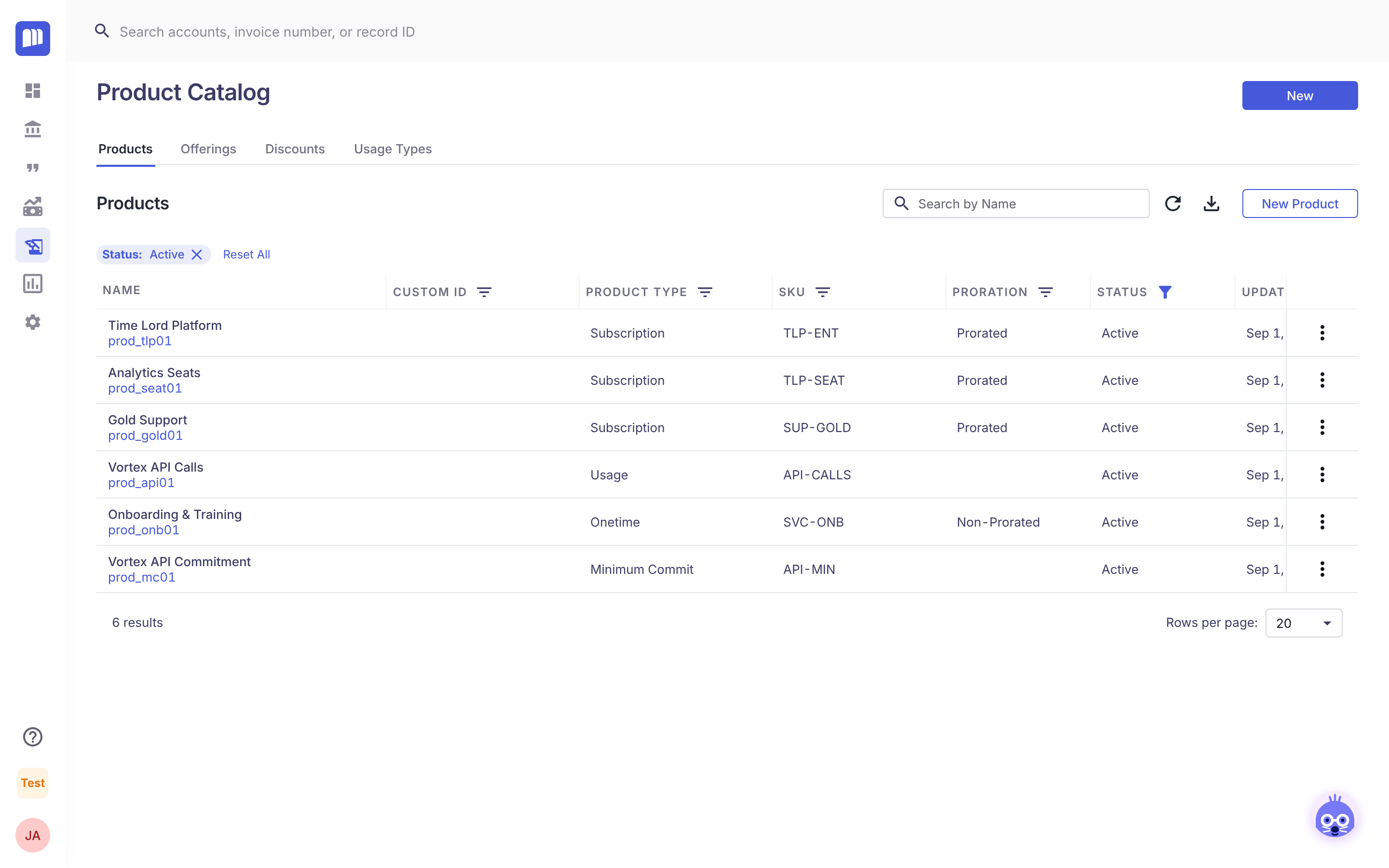
| Time Lord Platform | Subscription | Time Lord Enterprise, Time Lord Starter |
| Analytics Seats | Subscription | Time Lord Enterprise, Time Lord Starter |
| Gold Support | Subscription | Time Lord Enterprise (optional) |
| Vortex API Calls | Usage | Vortex API |
| Vortex API Commitment | Minimum Commit | Vortex API Commitment |
| Onboarding & Training | Onetime | TARDIS Onboarding |
| Offering | Type | Rates |
|---|---|---|
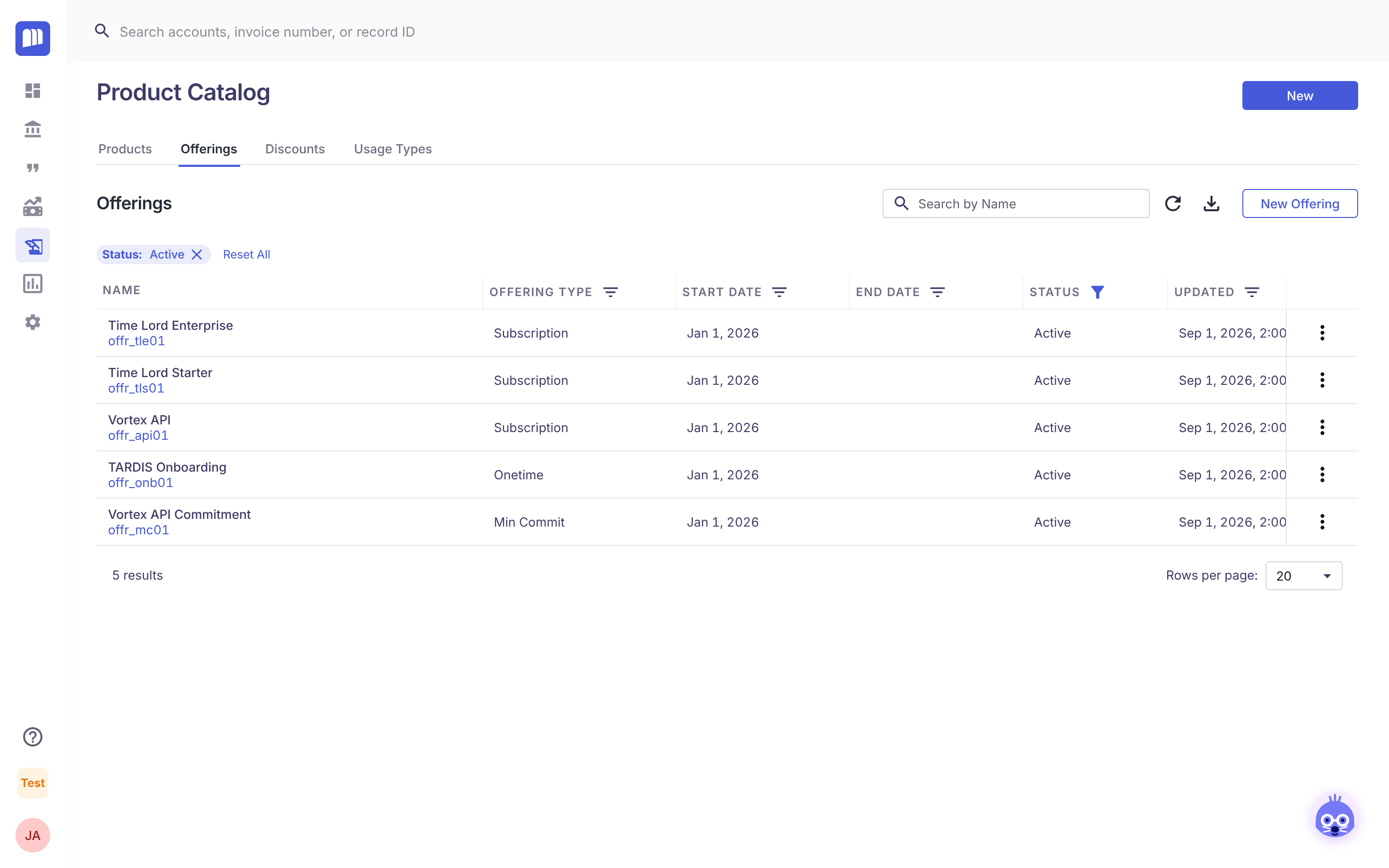
| Time Lord Enterprise | Subscription | Annual USD, Monthly USD, Annual GBP |
| Time Lord Starter | Subscription | Monthly USD |
| Vortex API | Subscription | Monthly USD (tiered per API call) |
| Vortex API Commitment | Minimum Commit | Annual USD |
| TARDIS Onboarding | Onetime | One-time USD |
A rep quoting a new enterprise customer adds two lines:
- Time Lord Enterprise at its Annual USD rate, setting the quantity of Analytics Seats, and
- TARDIS Onboarding for the set-up fee.
Where to find it
Reference
Open Product Catalog in the main menu. The tabs are:
| Tab | What's there |
|---|---|
| Products | All products, with type, SKU, proration and status |
| Offerings | All offerings, with type, dates and status. Rates are managed inside each offering. |
| Discounts | Reusable discounts that reps can apply on quotes |
| Usage Types | The units that usage products are measured in, such as API call or GB |
| Buckets | Token-credit buckets. Shown only when token credits are enabled. |
Who can do what
| Role | Access |
|---|---|
| Tenant Admin, Billing Admin | View, create and edit the catalog |
| Settings Read Only | View |
Things to know
- Products and offerings become locked once they're used, for example on a quote. Some settings can't be changed after that. Create a new version instead.
- Retire items rather than delete them. Set a product or offering to Inactive to stop new sales. Existing subscriptions keep working.
- Custom fields can be added to Products, Offerings and Rates to hold your own data, such as entitlements. See Custom Fields.
Ways to build your catalog
How-to
| Method | Best for | Guide |
|---|---|---|
| Bulk upload with spreadsheet templates (Settings → Onboarding) | Setting up a whole catalog, or migrating from another system | Configure Product Catalog |
| One by one in Product Catalog | Adding or changing a few items | Products, Offerings, Rates |
| API | Keeping MonetizeNow in sync with another system | API reference |
Whichever you use, build in this order: products → offerings → rates. Each step needs the IDs from the one before it.
Tip: build and test your catalog in a Sandbox tenant first. Quote a few real deals against it, then recreate it in Production.
Design tips
Explanation
- Make each product the smallest thing you'd ever price separately. If seats and platform are always sold together at one price, they can be one product. If you might ever price them separately, make two.
- Use offerings for packaging and rates for payment terms. Monthly versus annual, or USD versus GBP, are rates on the same offering, not separate offerings.
- Match the product type to how the customer gets value.
- Seats and licenses → Subscription.
- Consumption → Usage.
- Services → Onetime.
- Check your quotes.
- If quotes repeat the same descriptions line after line, the catalog may be too detailed.
- If a quote doesn't make clear what the customer bought, it may be too vague.
- Plan for entitlements and revenue. Product-level custom fields can drive feature access (Entitlements with Custom Fields). Each product's recognition method drives Revenue Recognition.
Related
Updated 8 days ago