
Create Blueprint
Below are the steps to create a Quote Blueprint which can be used by your reps.
Contacts and the Contract Start and End Dates will never be copied from the Quote Blueprint to a new Quote.
Step 1: Create a Blueprint Account (Recommended)
Any Quote, associated with any Account, may be used as a Quote Blueprint.
However, we strongly recommend that the tenant admin creates a dedicated account specifically for managing Quote Blueprints. This keeps tracking, reporting, and governance simple.
We also recommend enabling the Test Account setting for this account to clearly distinguish blueprint activity from live customer quoting.
Step 2: Build the Quote
The admin creates a quote, using the test account, with the default settings to be used as the Quote Blueprint. This typically includes:
- Contract length
- Renewal behavior
- Price uplift during contract
- One of more Offerings
- Discounts and units for products
- Any pricing considerations like ramps, price increase during contract or upon renewal
- Any MSA, DPA documents
- eSign configuration (e.g., one‑sided eSign)
Step 3: Name the Quote
- Name the Quote with a clear, easily recognizable name (this may be the same as the Blueprint Name) which will allow the rep to easily identify and select the Quote Blueprint.
- Example: Mid‑Market – 2 Year Deal (Monthly)
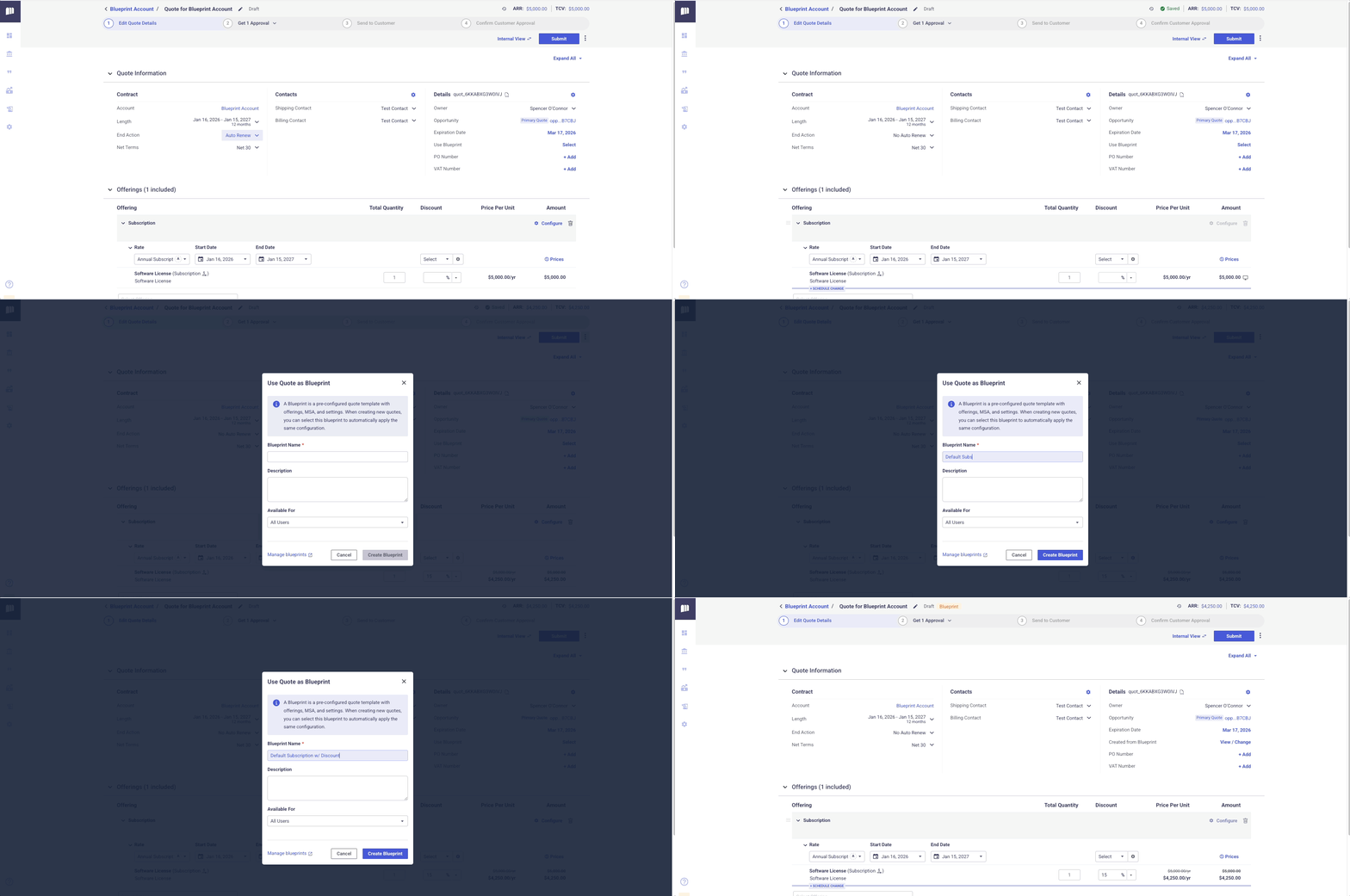
- Click the three dots in the upper right-hand corner and select Use as Blueprint.
- Give the Blueprint a name, and optionally a description.
- The name will be visible to reps when selecting a Blueprint to use so this should be descriptive and easily identifiable.
Step 4: Set Availability and Save as Blueprint
- Admins can determine if the Blueprint should be available for 'All Users', or 'Just Me'.
- Non-admin users can create Blueprints only available for themselves.
- Click Create Blueprint to save.
- Once a quote is saved as a Blueprint, a label appears at the top of the page indicating that it is a Blueprint.
Updated 9 months ago
Did this page help you?