
Billing for Usage
MonetizeNow supports usage based billing which can be done in the UI, with a CSV upload or via the API.
Usage can be recorded on an individual account or can be done in bulk across multiple accounts with a CSV upload.
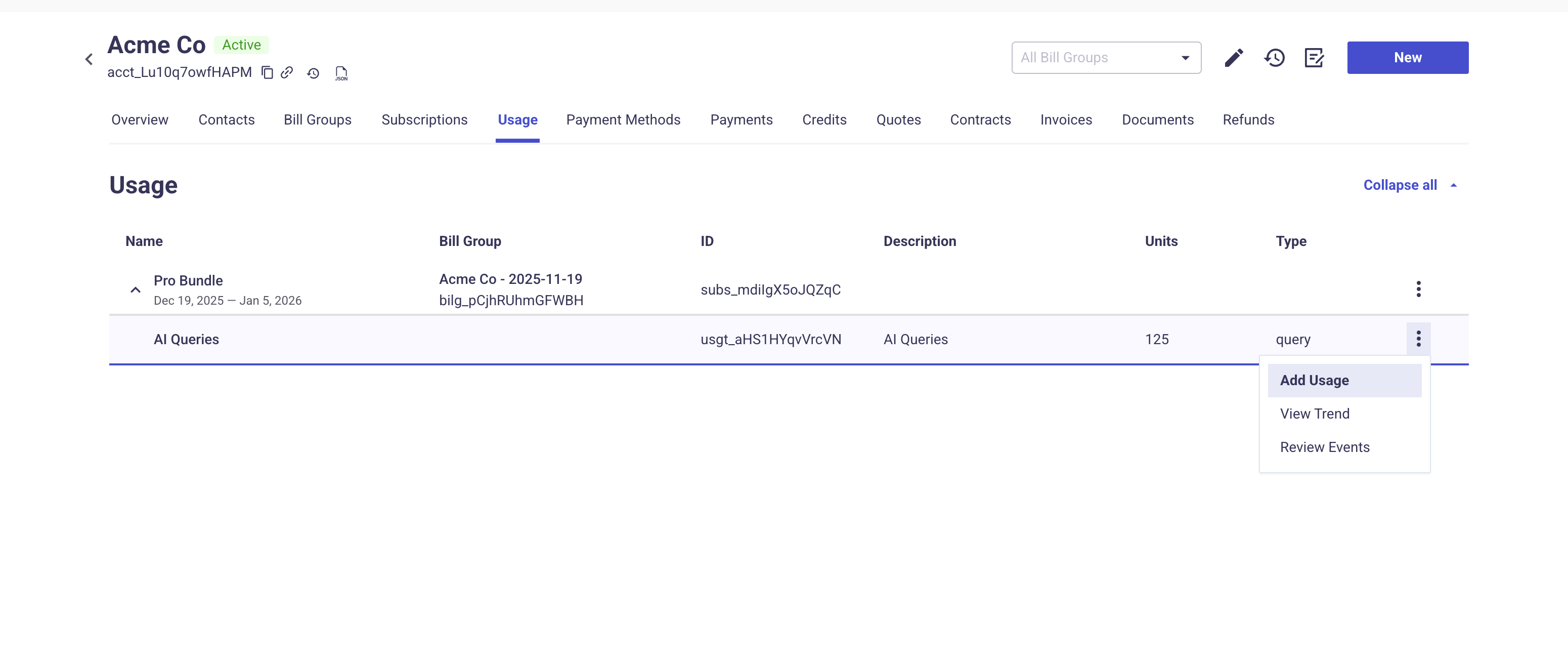
To record usage for an individual account, go to the account's usage tab.
- Click the three dots next to the usage product you want to record and click on 'Add Usage'.
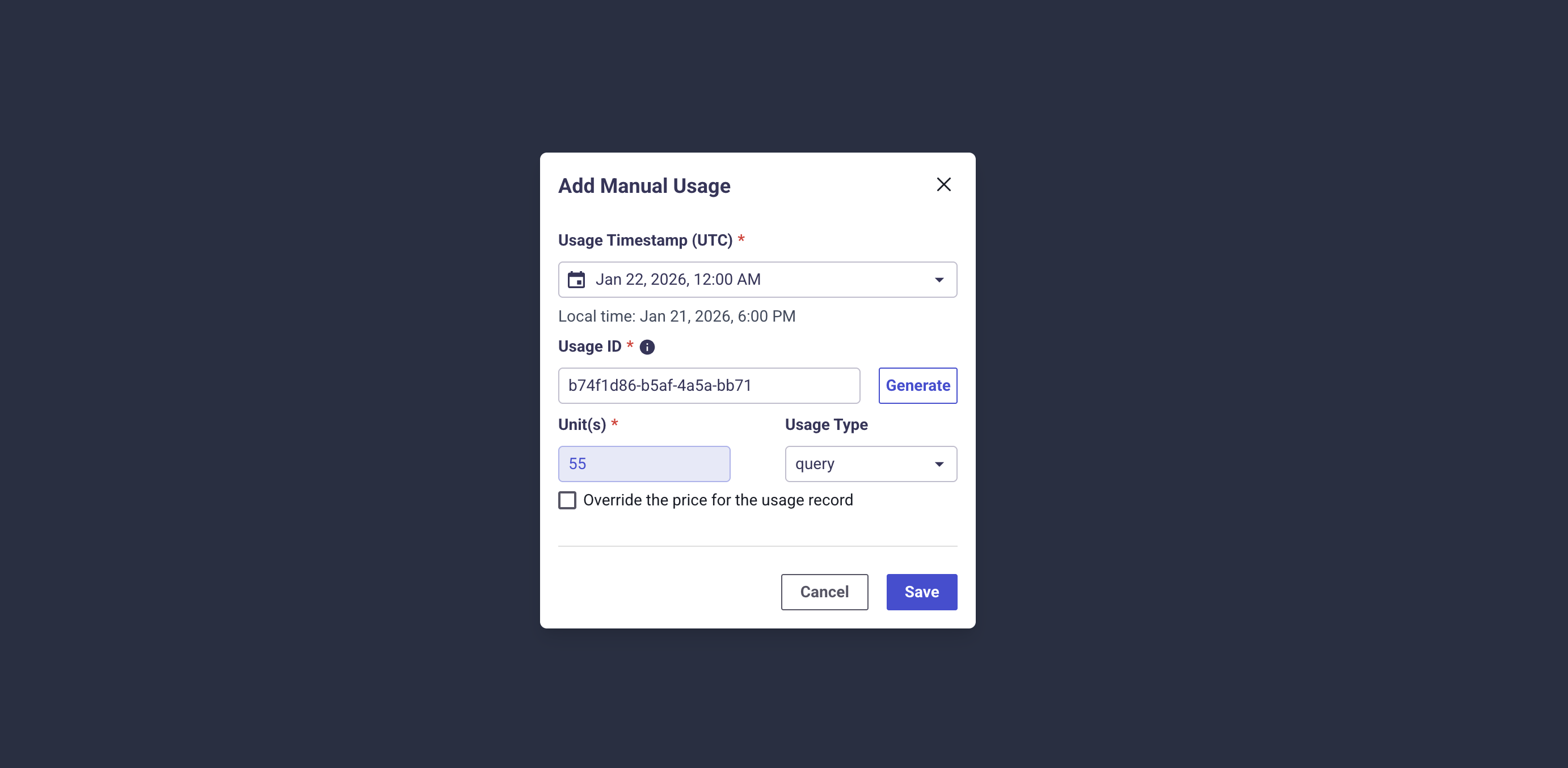
- Within the popup modal you can input the timestamp, an ID (or click to generate one), the total units for the usage event.
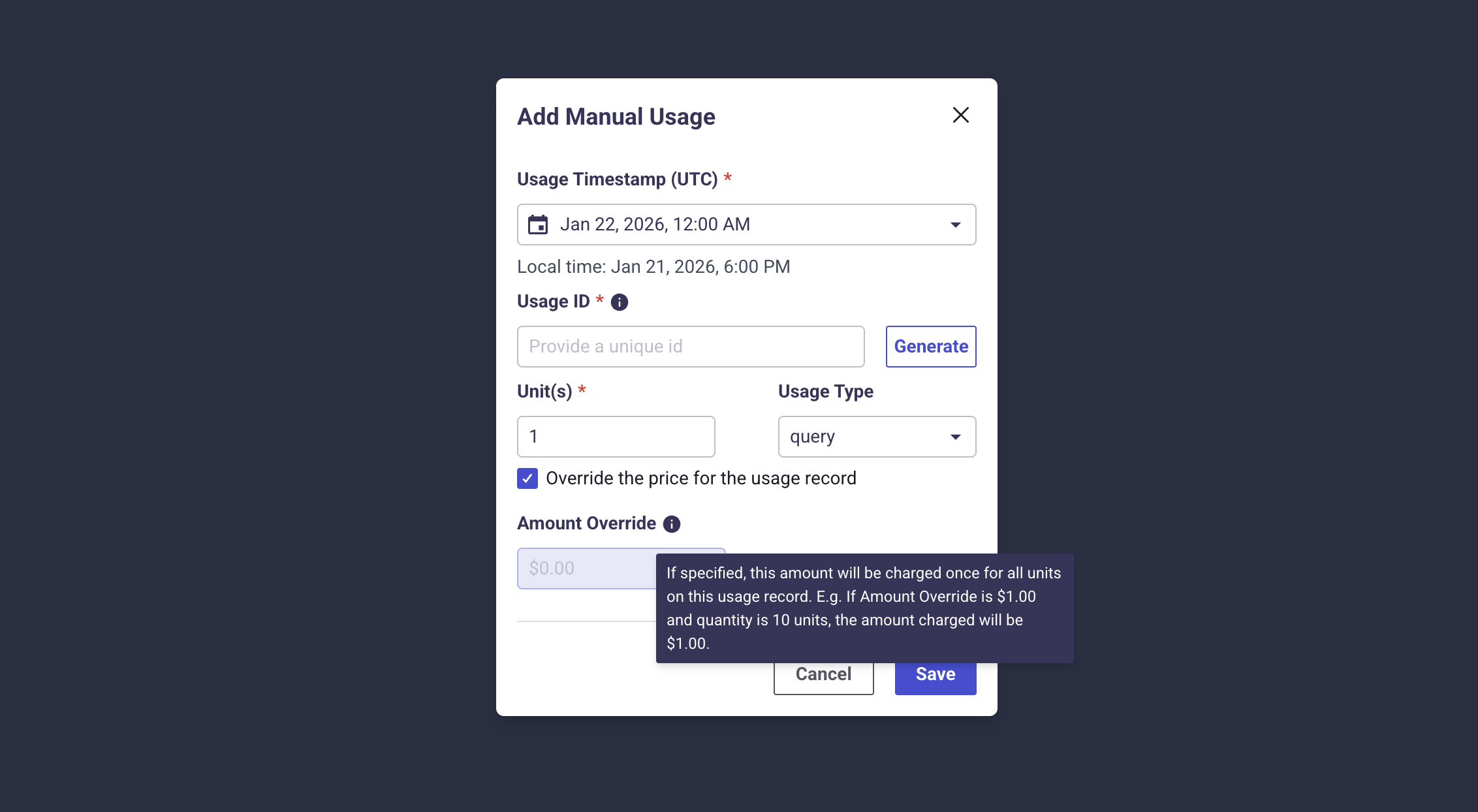
- You can also override the price for the usage event by checkmarking the box next to that text. From here you can set the total price for all units for this usage event.
Bulk upload usage for multiple accounts
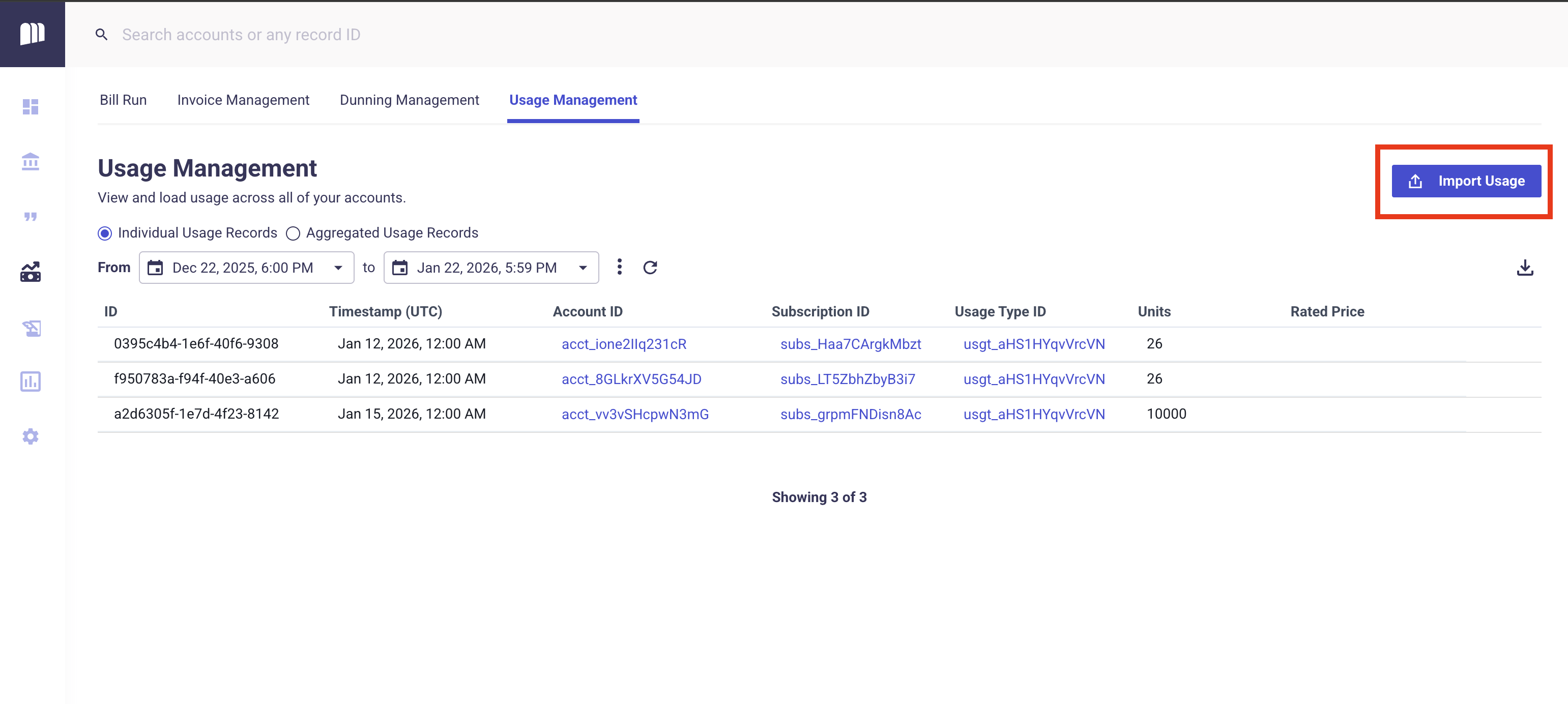
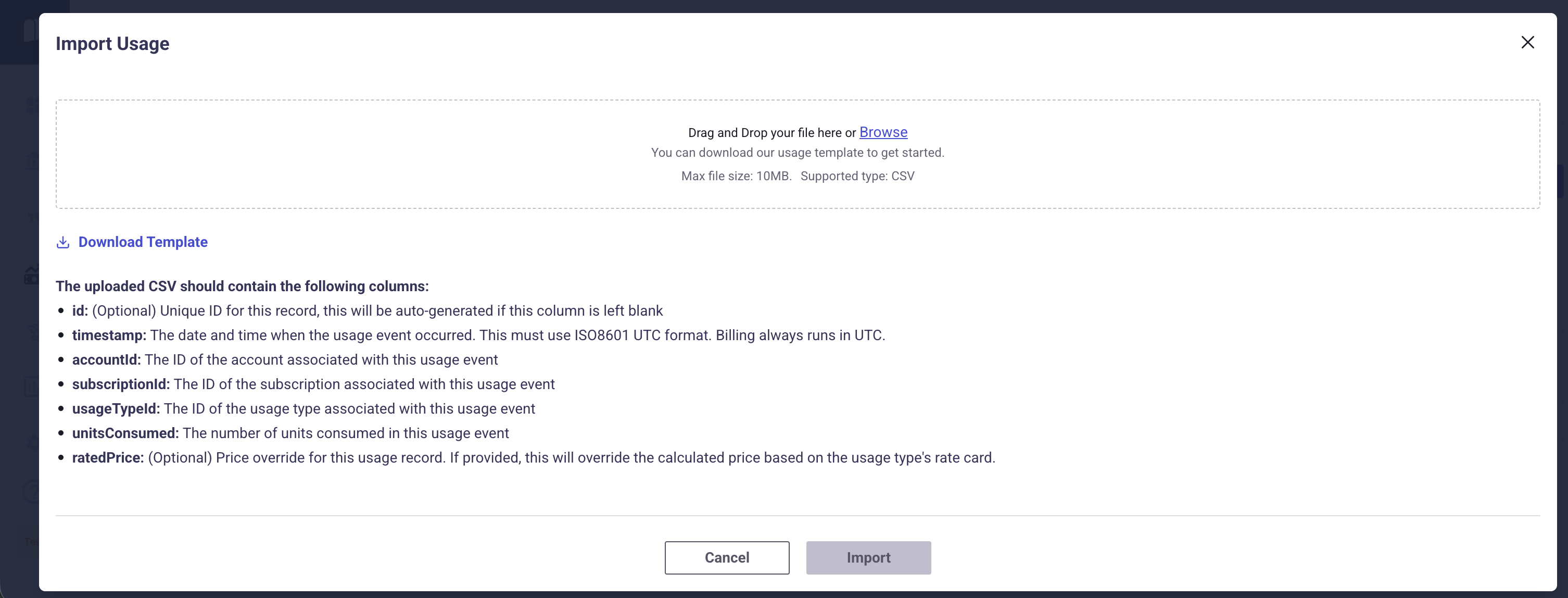
- To upload usage for multiple accounts with a single CSV file upload, go to the usage management tab on the billing page.
- Click on the 'import usage' button on the top right side of the page.
- This will present a popup with instructions on how to perform this upload. You can also click the 'Download Template' button, to download a sample CSV file with the required and optional headers included.
- Make sure the upload is a CSV file and not an excel or other file type.
Updated 7 months ago
Did this page help you?