
Invoicing FAQs
If you're experiencing problems with invoice generation, there are several common causes and solutions to try.
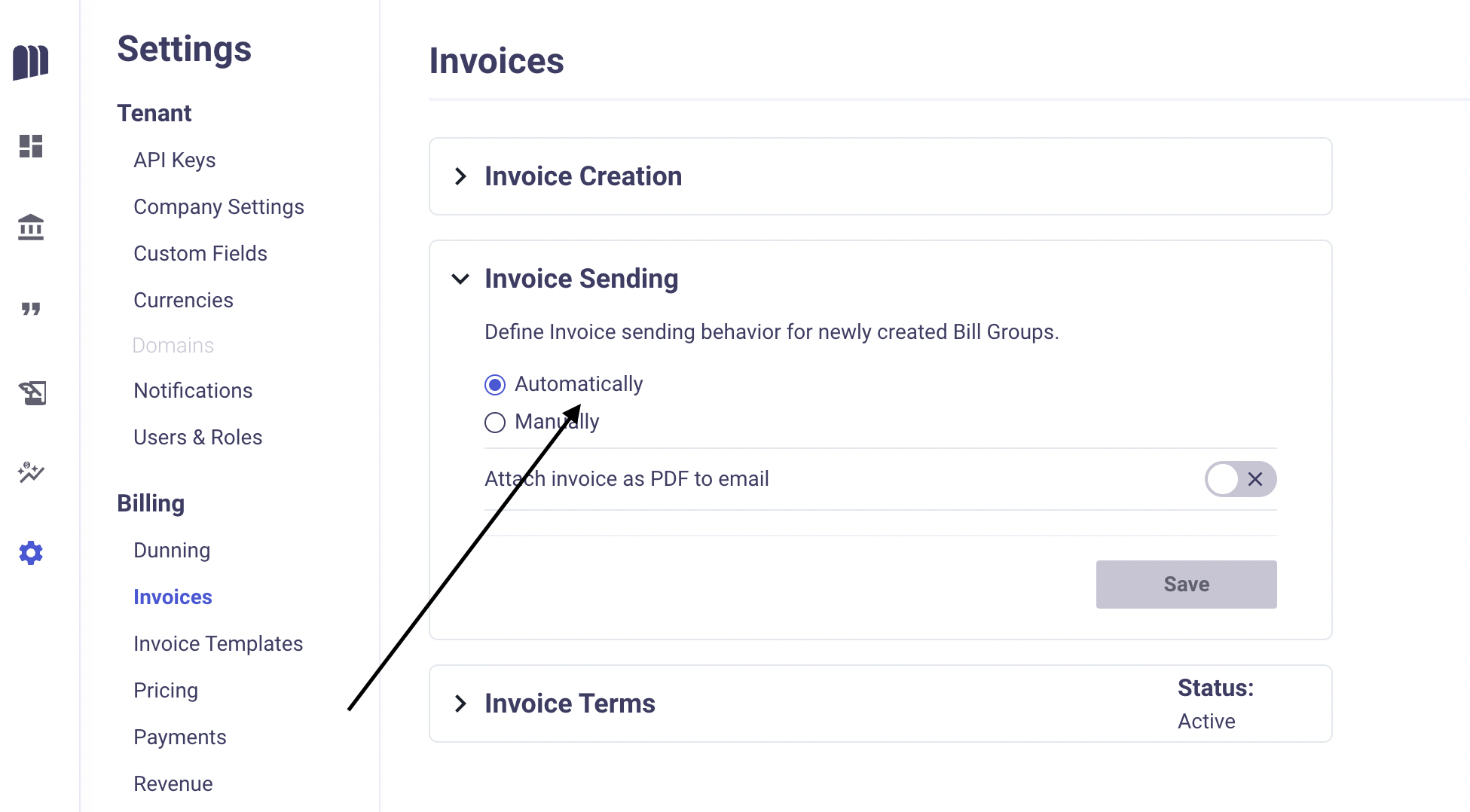
How can I send invoices upon creation automatically?
Yes, you can activate this feature by accessing the "Invoice Sending" section within the Invoices menu. Once enabled, our system will email the Invoice to the customer using the email from the "Bill To" information on the quote.
Payment Method Configuration Issues
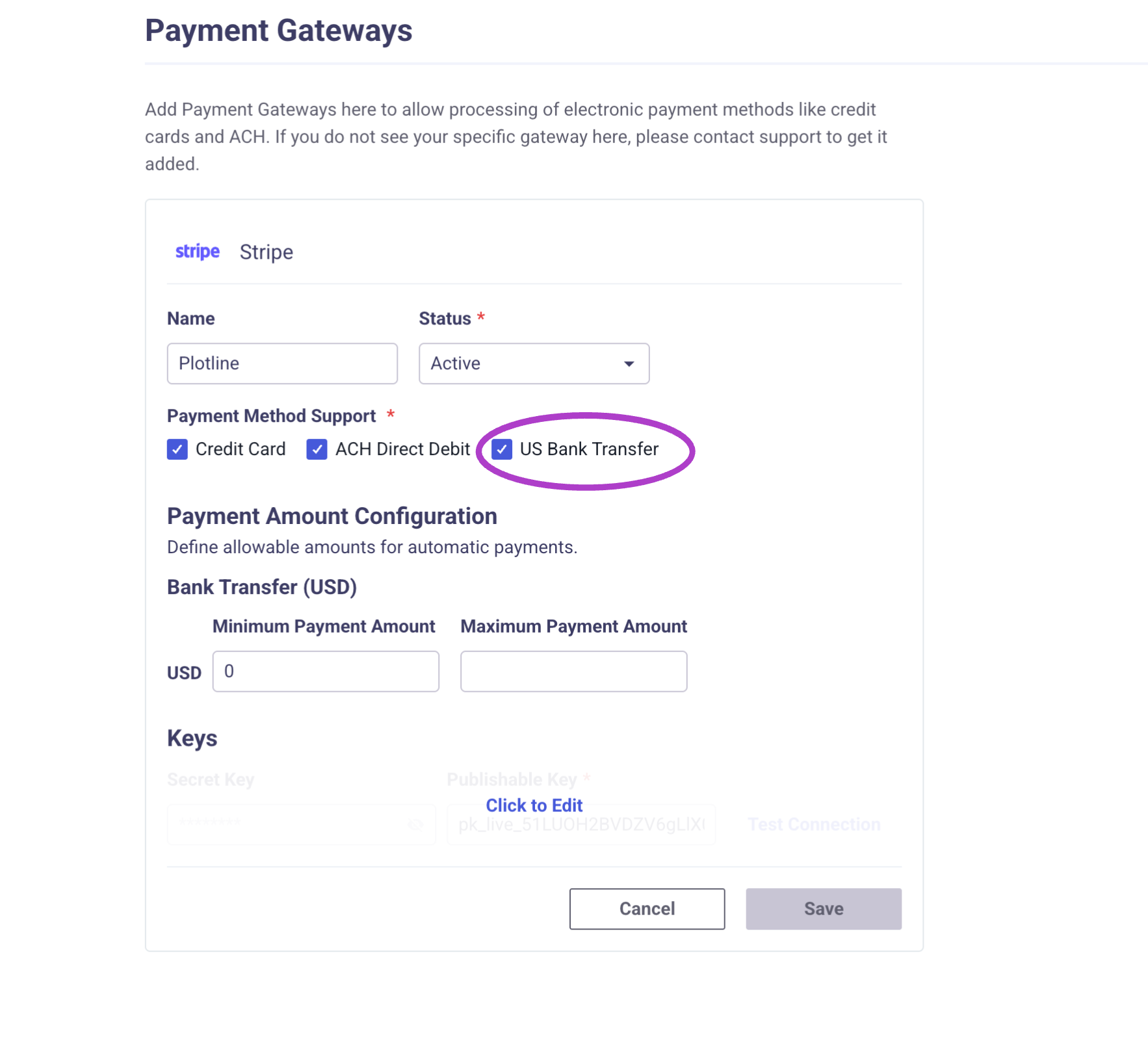
One of the most common causes of invoice generation failures is a mismatch between payment method settings in MonetizeNow and your payment processor (like Stripe).
Symptoms: Invoices fail to generate automatically or manually, especially when US Bank Transfer is enabled.
Solution: Check your payment processor settings to ensure all enabled payment methods are properly configured
Example: If you have US Bank Transfer enabled in MonetizeNow but not in Stripe, you have two options:
- Enable Bank Transfer in your Stripe Dashboard under Settings > Payments
- Temporarily disable US Bank Transfer in MonetizeNow until Stripe is configured
Automatic Invoice Generation Delays
Sometimes invoices may appear to be "stuck" but are actually queued for processing.
What to know:
- MonetizeNow runs billing batches twice daily at 1 AM UTC and 7 AM UTC
- Invoices may take some time to generate due to queue processing
- If an invoice doesn't generate immediately, it will typically be created during the next billing batch run
Updated 7 months ago