
MCP Server
The MonetizeNow MCP Server connects AI assistants to MonetizeNow, allowing users to interact with MonetizeNow data and workflows directly through natural language in MCP-compatible AI clients.
Once connected, users can search and retrieve information such as accounts, quotes, products, and other MonetizeNow entities, as well as perform supported actions such as creating and updating quotes, all without leaving their AI assistant or switching between applications.
The MCP Server provides a natural-language interface to MonetizeNow capabilities while allowing the AI assistant to determine which tools and operations are appropriate for each request.
Setup Instructions
If your organization manages Claude centrally, an administrator will need to approve and setup the connector to make it available to all users.
Claude Desktop and Web
The following steps are performed by the owner of your Claude org account
- Open Settings and navigate to the connectors section.
- If your organization admins have already added the MonetizeNow MCP server you should see it as an option in the connectors section to add to your claude app.
- Click Add custom connector.
- Enter a name — for example, MonetizeNow.
- Paste the server URL: https://aggregator.mcp.monetizeplatform.com/mcp
- Click Add, then sign in with your MonetizeNow credentials when prompted.
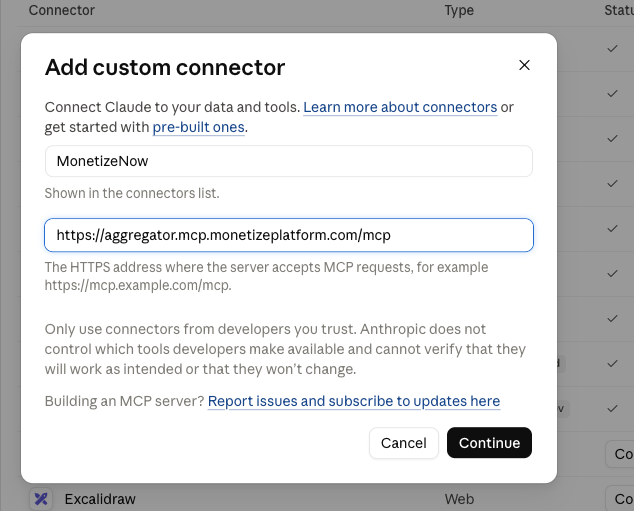
After the connector has been set up at the org level, individual users should be able to search the custom connector and perform Step 5 listed above
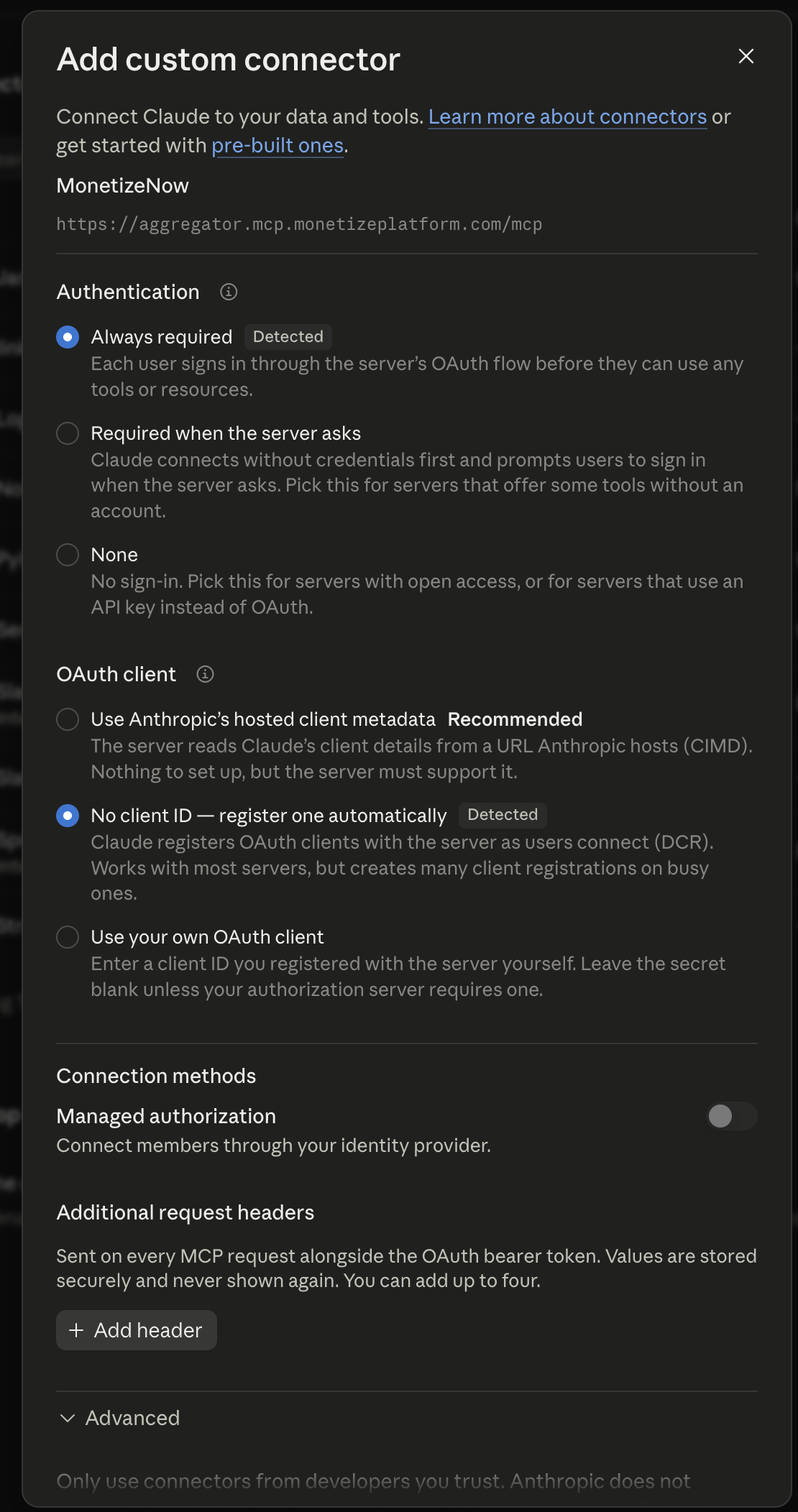
Use the default settings in Claude
Claude Code
- Run the following command.
claude mcp add --transport http monetizenow https://aggregator.mcp.monetizeplatform.com/mcp- Then confirm the connection
claude mcp listChatGPT
Custom MCP connectors are available on ChatGPT Business, Enterprise, and Edu plans, and on Plus/Pro through developer mode. On Business, Enterprise, and Edu, a workspace administrator sets the connector up for all users.
You will need to enable developer mode to setup custom plugins in ChatGPT.
- Go to Settings and navigate to the Security and Safety section.
- Enable developer mode.
- Open Settings and navigate to the plugin section.
- Select browse plugins.
- Click the + icon in the top right.
- Fill in the details
- Name: MonetizeNow
- Description: Billing, CPQ, and reporting access for MonetizeNow
- MCP server URL: https://aggregator.mcp.monetizeplatform.com/mcp
- Save, then sign in with your MonetizeNow credentials when prompted.
- In a new chat, enable the MonetizeNow connector from the tools or + menu.
Tenant Selection
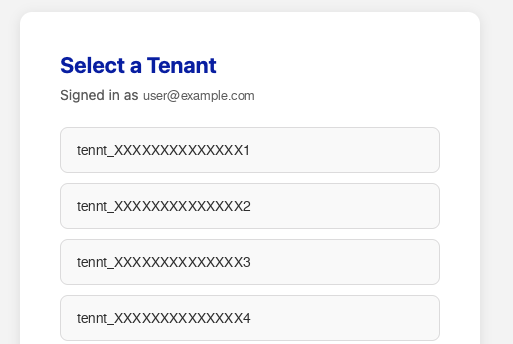
Once the connector is set up, upon authentication the user will see a screen to select which tenant to connect to.
Switching Tenants
To switch tenants in MonetizeNow from your client , follow these steps:
-
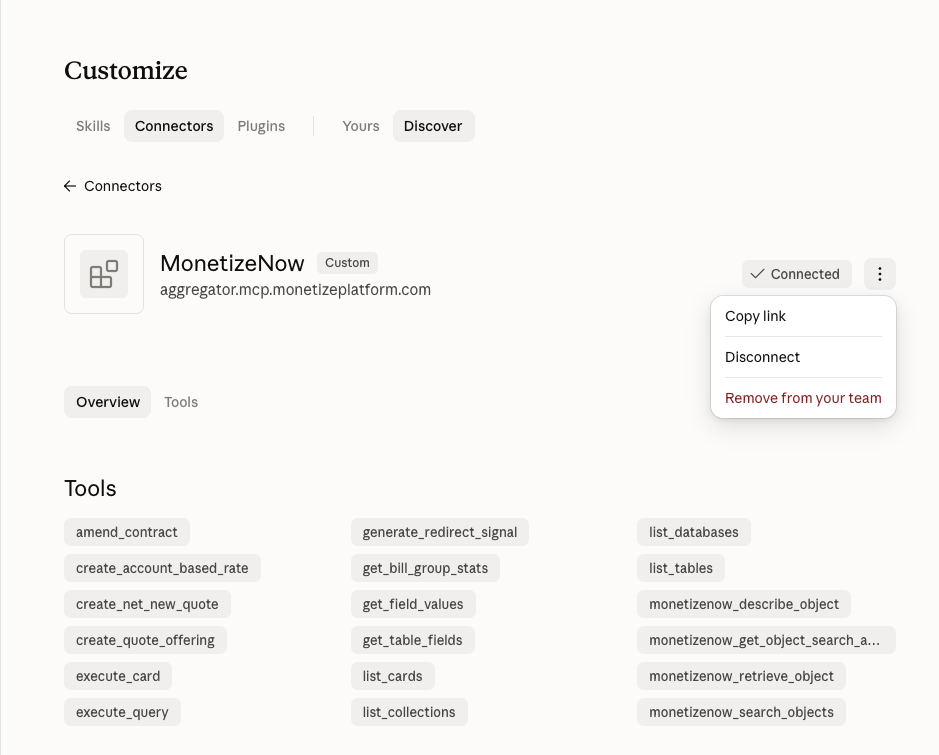
Disconnect your current MonetizeNow connector
-
Reconnect the connector
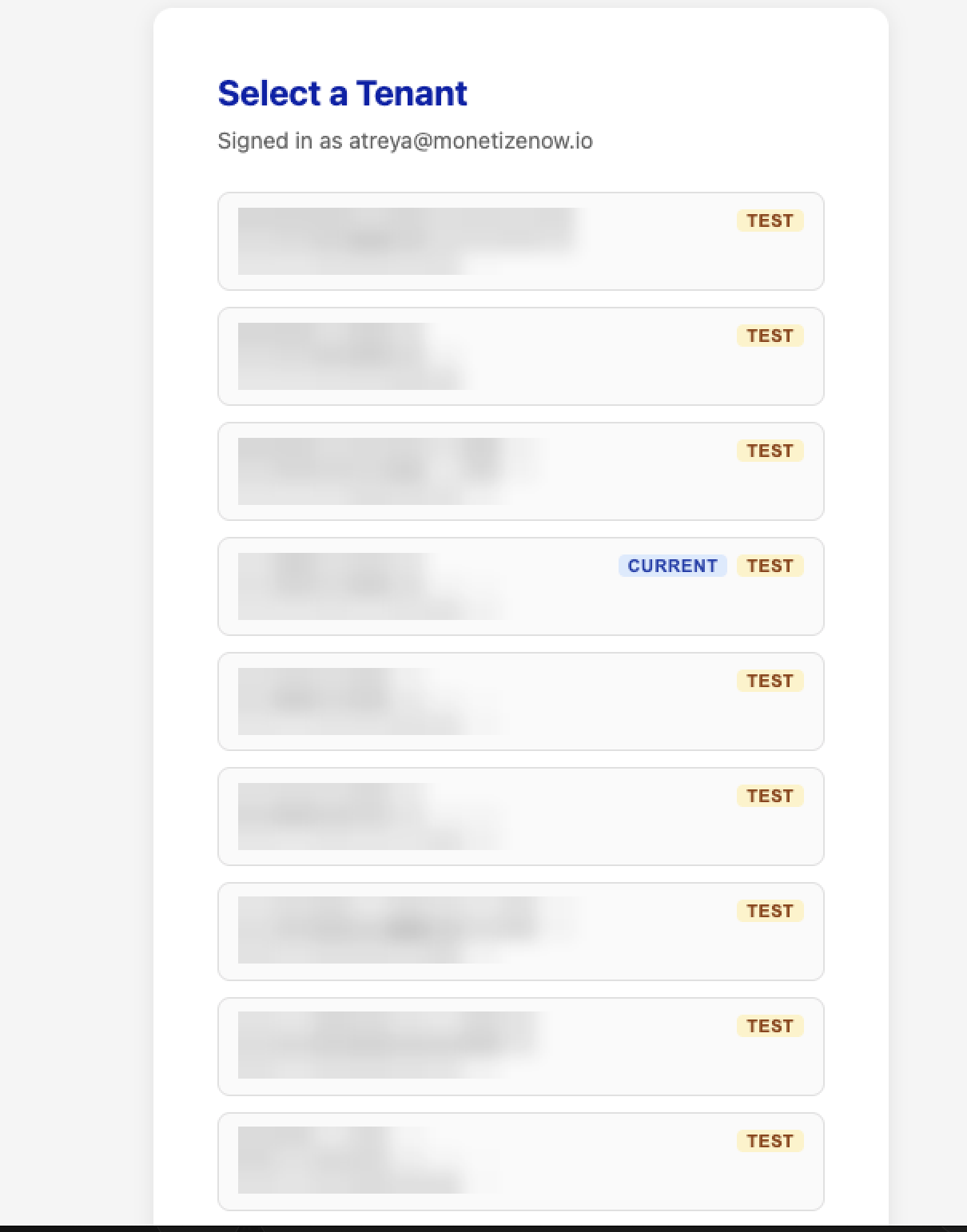
After reconnecting, you will be redirected to the tenant picker where you can select a different tenant.
Capabilities
Reporting Tools (available to Admin and Reporting roles)
These tools enable the agent to explore the schema on its own, then write and run the query to answer questions, without typing any SQL.
| Tool | Description |
|---|---|
list_databases | Lists the available reporting databases. |
list_tables | Lists the queryable tables in a database, with descriptions. |
get_table_fields | Returns the column-level schema for a table. |
execute_query | Runs a SQL query against a reporting database and returns the rows. |
list_cards | Lists your saved reporting questions. |
execute_card | Runs a saved question and returns its results, with optional parameters. |
list_collections | Lists the collections your saved questions are organized into. |
Platform Tools (available to all roles)
These tools enable the agent to read from and write to records in your MonetizeNow tenant.
Read tools
| Tool | Description |
|---|---|
monetizenow_search_objects | Finds records by filter criteria across quotes, accounts, invoices, bill groups, credits, contacts, rates, offerings, and users. |
monetizenow_retrieve_object | Pulls the full detail of a single record by ID — accounts, quotes, invoices, bill groups, credits, credit notes, payments, contacts, offerings, and rates. |
monetizenow_get_object_search_attributes | Reports which fields a given object type can be filtered on. |
monetizenow_describe_object | Returns an object's full data model, including how it relates to other objects. |
get_bill_group_stats | Returns the current stats for a bill group. |
Write Tools
| Tool | Description |
|---|---|
create_net_new_quote | Creates a new quote on an account. |
update_quote | Edits an existing quote. Only the fields you mention change. |
create_quote_offering | Adds an offering to a quote, including multi-period ramp structures. |
update_quote_offering | Edits an offering already on a quote. |
create_account_based_rate | Creates an account-specific rate on an offering. |
Skills Library
Our team maintains a set of skills — reusable instructions that teach Claude how to handle specific MonetizeNow workflows well. Skills capture the judgment that a generic assistant lacks.
Updated about 1 month ago